iOS · Android · Offline
Your blood pressure.
Your data. Always with you.
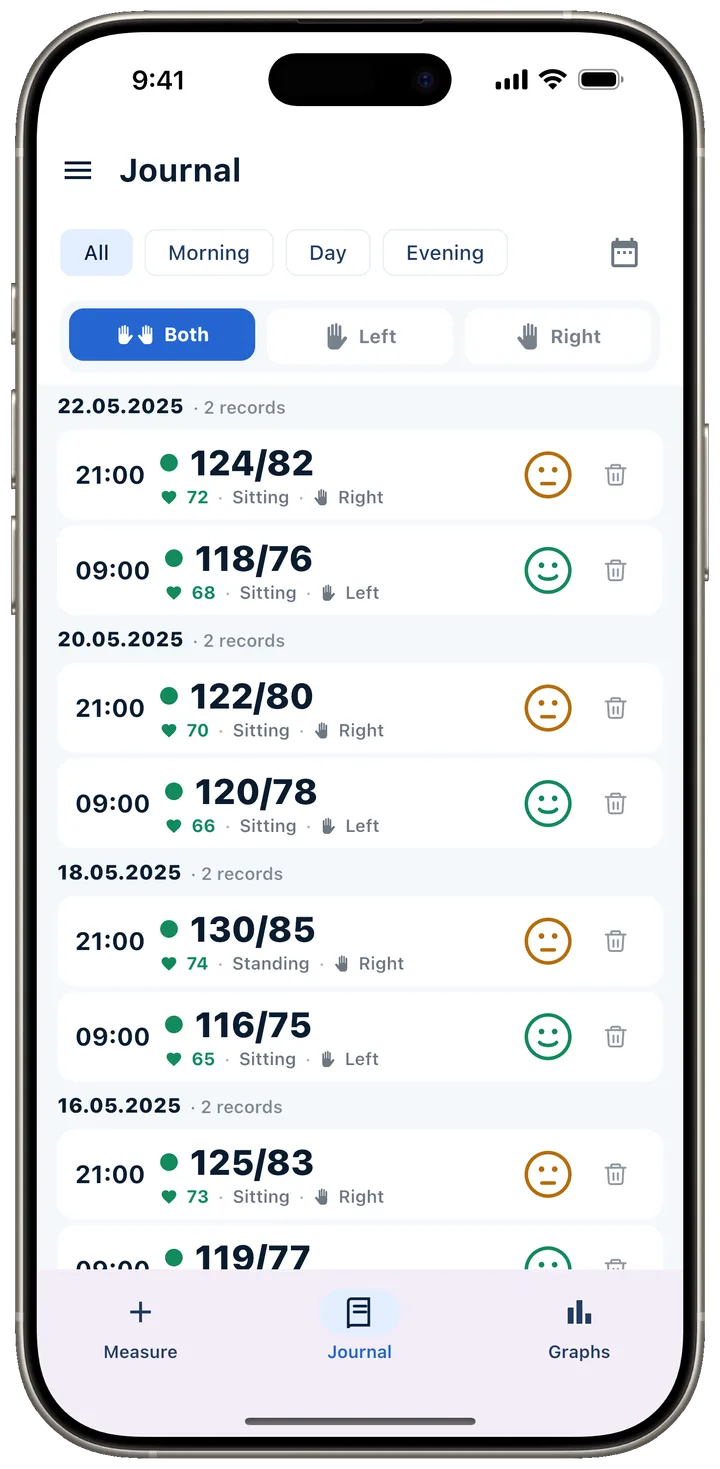
Log readings in 3 taps or scan them straight off your monitor, track trends over time, and share a PDF report with your doctor — all offline, no account needed.
Available now on


- Offline — no internet required
- No account or registration
- Your diary never leaves your device
Features
Everything you need. Nothing you don't.
Designed for people who want a simple, private health log — not a complicated medical app. Large text, minimal steps, works completely offline.
-
Feature 01
Log in seconds
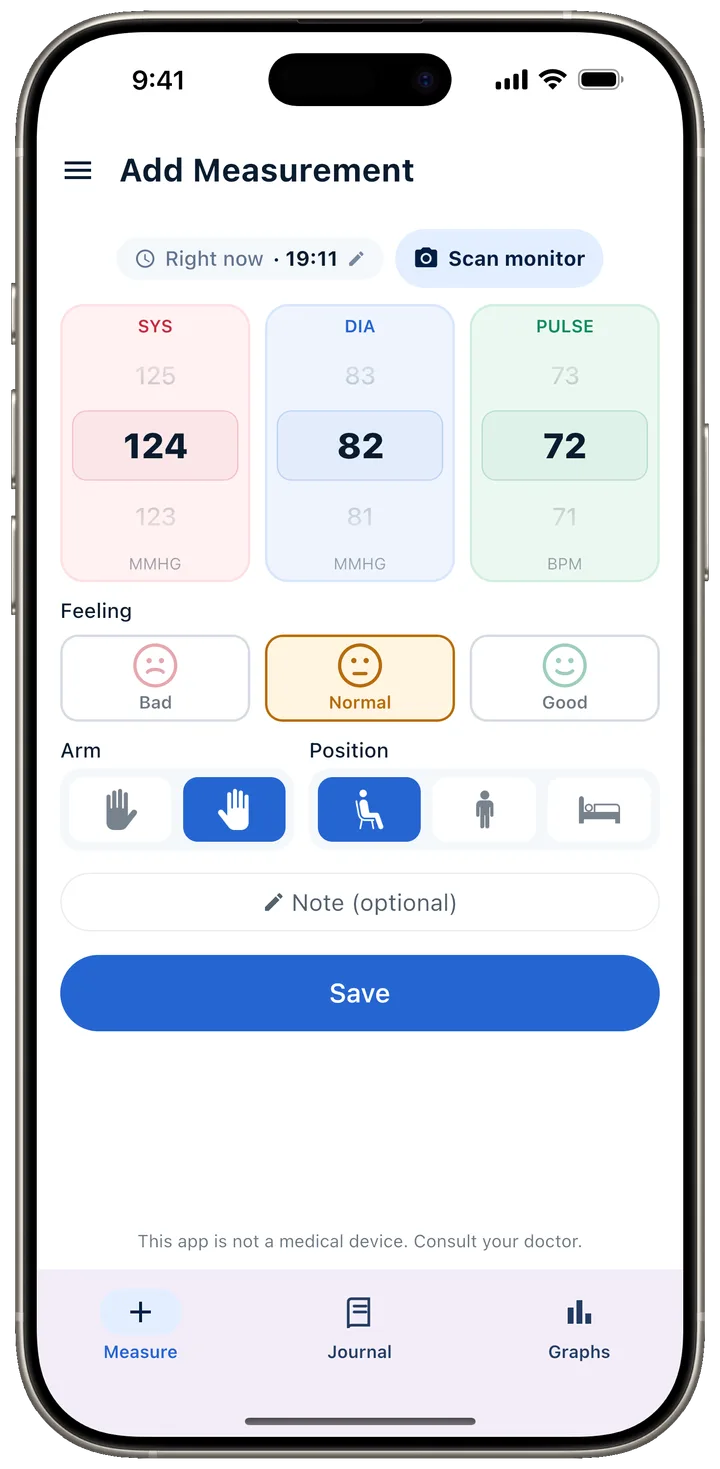
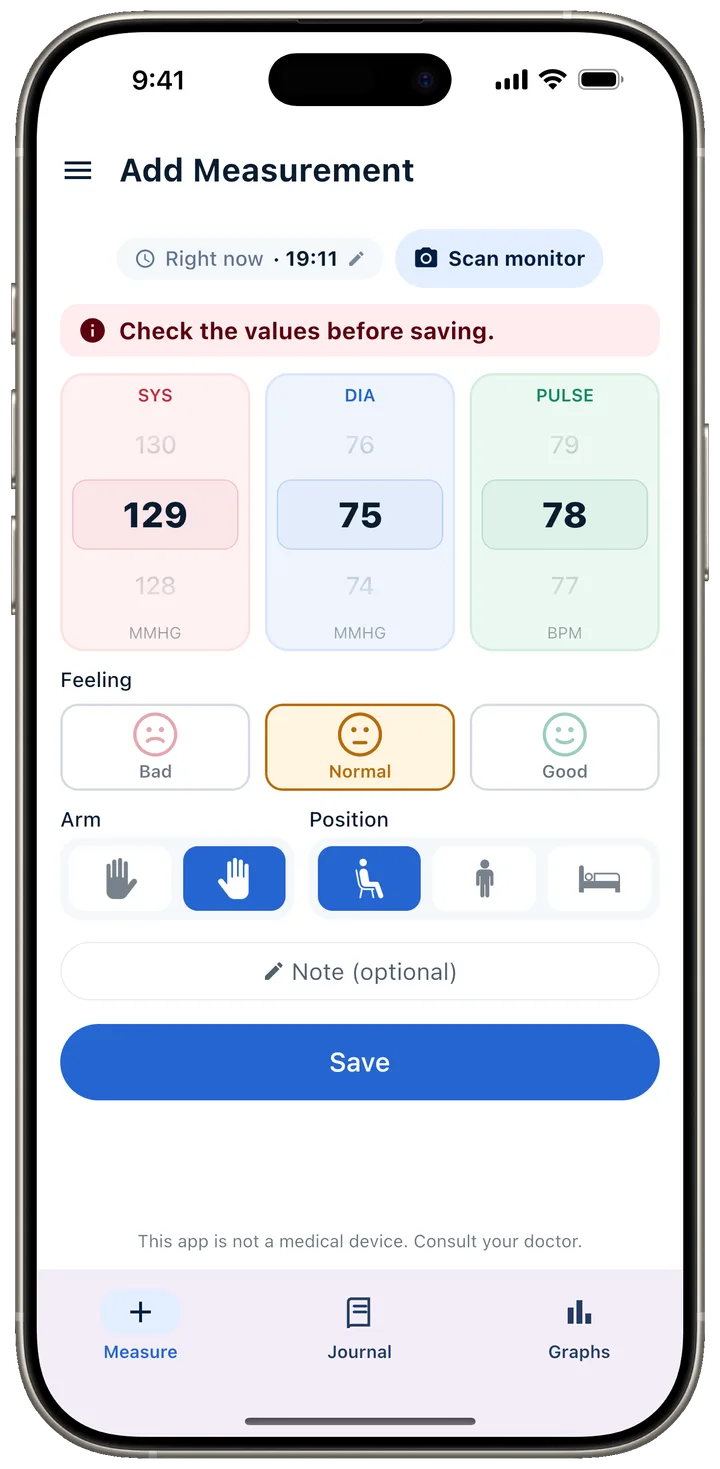
Tap in systolic, diastolic and pulse, or scan them straight from your monitor. Arm, position and feeling default to last-used values. One tap to save.
-
Feature 02
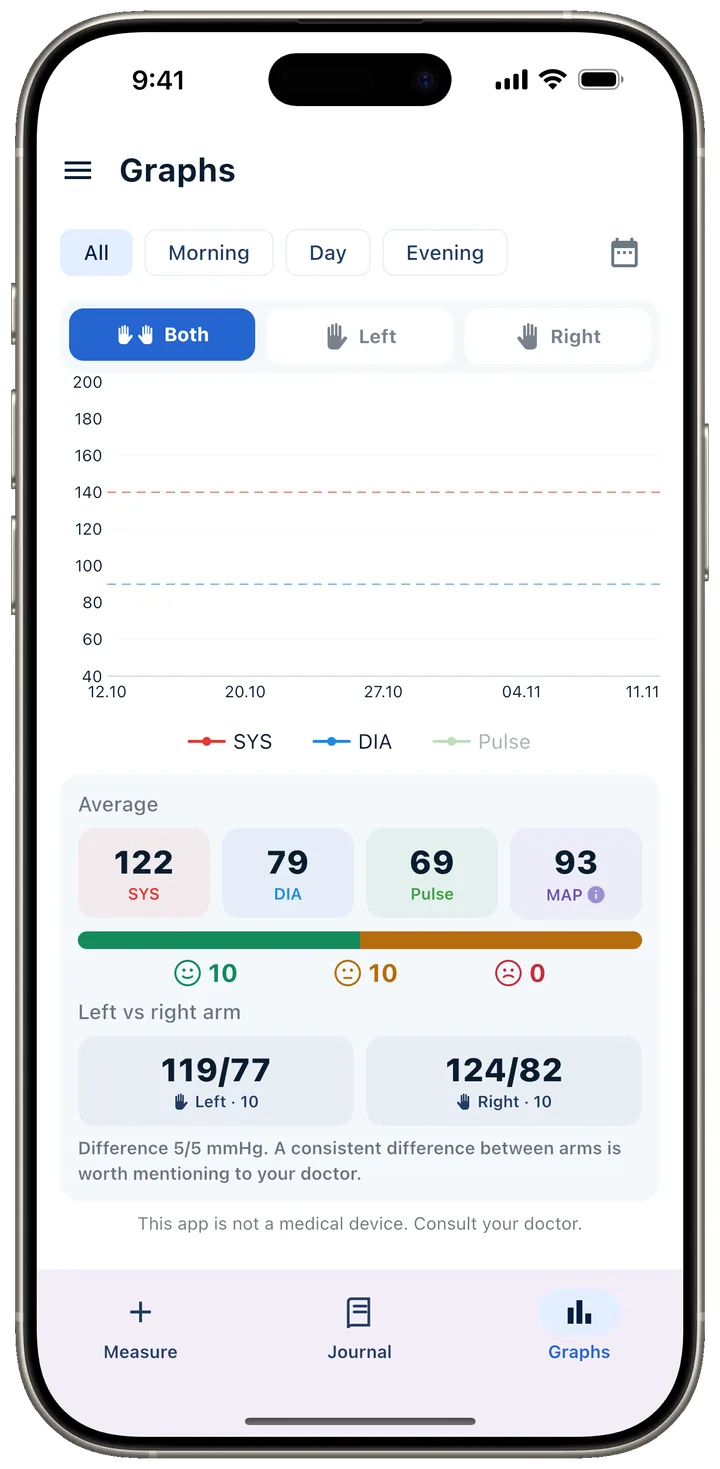
See your trends
Charts for 7, 30, or 90 days. Average, min/max, and feeling distribution for every period.
-
Feature 03
Share with your doctor
Export a formatted PDF report or a CSV file. Works offline, saved directly to your device.
Monitor scan
Point the camera. Skip the typing.
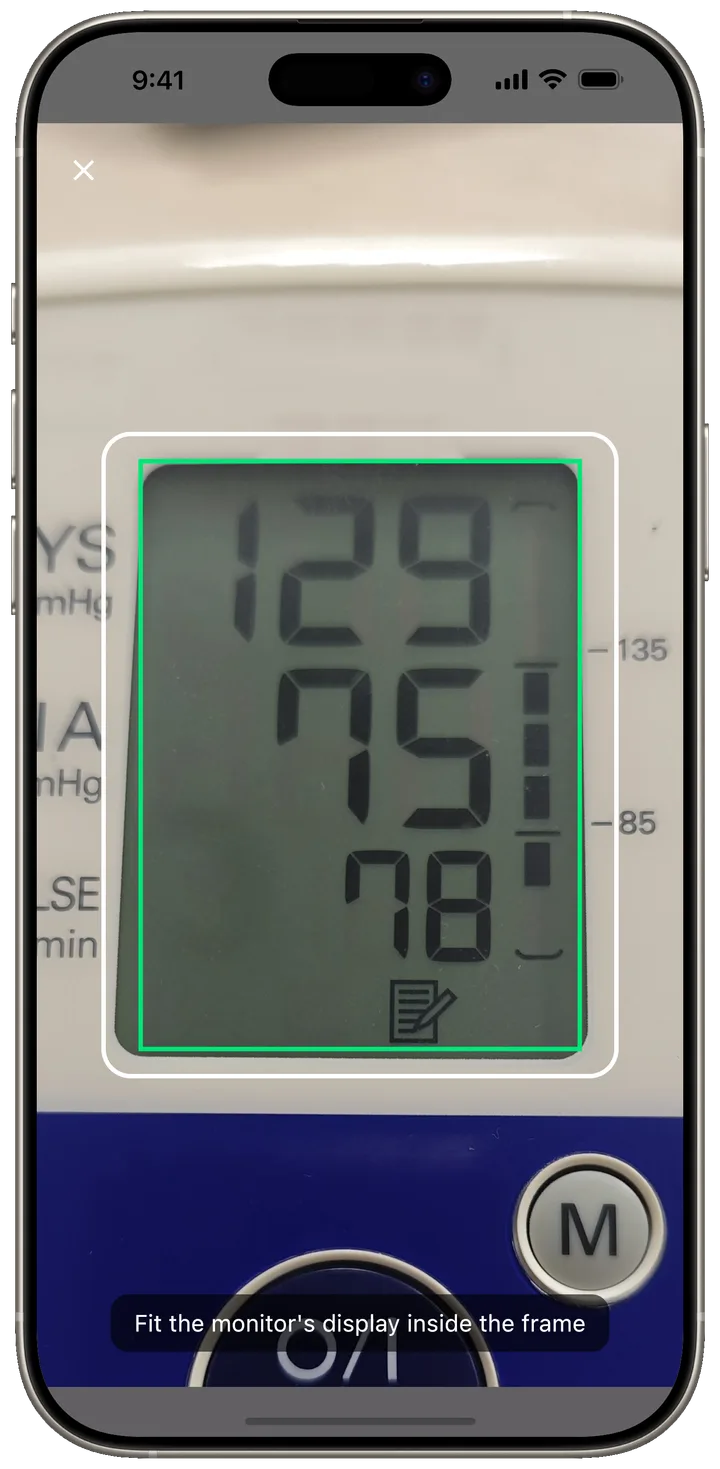
Just measured? Tap Scan monitor and hold your phone over the display of your digital blood pressure monitor. The app reads systolic, diastolic and pulse from the screen and fills them in for you.
-
Works with digital monitors
Made for the LCD display of an ordinary home monitor: the big SYS, DIA and pulse numbers you already see after each measurement.
-
Read on your phone
The display is recognised on the device itself, with no internet connection needed. Camera frames are never saved or uploaded unless you choose to send us a scan problem report.
-
You confirm every reading
The values land in the usual Add Measurement form. Check them, adjust with the wheels if needed, and save.
Monitor scan is part of the Camera scans monthly subscription. New installs get it free for the first 14 days, and typing readings by hand stays free forever. Pricing
Privacy by design
Your diary stays on your device.
Blood pressure readings are sensitive health data. We designed the app so your diary never travels over the network — not even to our own servers. No cloud, no account, no sync. The only thing that ever leaves your phone is a scan problem report, and only if you choose to send one.
-
Your diary never leaves your phone
Blood pressure readings, pulse, and feeling notes are stored only in your device's local database. There is no cloud sync, no server-side copy, and no account to sign into. Your health data belongs to you.
-
No registration, no account
The app works out of the box without an email address or any sign-up. There is nothing to lose access to if a service shuts down.
-
Analytics are anonymous and opt-in
This site uses Google Analytics for aggregate visit counts only — no health measurements, no ad tracking, no fingerprinting. Analytics load only after you accept the cookie banner.
Pricing
Free to use. Pay only for the extras you want.
Log and track your blood pressure for free, forever. Pay once for CSV and PDF export. Filling in readings by scanning your monitor with the camera is an optional monthly subscription. The first 14 days include everything, so you can try before you buy.
Free
Full measurement logging, forever free.
- Unlimited blood pressure readings
- Charts for 7, 30, and 90 days
- Reminders for measurement times
- Arm, position, and feeling tags
- 14-day trial of export and camera scans
Unlock — $1.99
One-time purchase. Yours forever.
- CSV Import & Export
- PDF Report for your doctor
- One-time purchase, no auto-renew
- Family Sharing enabled
- All future export formats included
Camera scans — $2.49/mo
Scan your monitor instead of typing.
- Fill in readings from your monitor's display
- Recognised on your phone, works offline
- Free for the first 14 days on a new install
- Monthly subscription, cancel anytime in your store account
- Family Sharing enabled
Available on iOS and Android.
FAQ
Common questions.
- Is an account required?
- No. The app works completely offline. There is no sign-up, no email, and no password to remember. Open the app and start logging.
- Where is my data stored?
- Locally on your device only. Your blood pressure readings are stored in the app's private local database and never sent to any server. No cloud sync, no backup to our infrastructure. The one exception is a scan problem report you choose to send, which carries that one scan's values and camera frames.
- What does the $1.99 unlock include?
- Permanent access to CSV Import/Export and PDF Report generation. It is a one-time purchase that never renews. Family Sharing is enabled so everyone in your family sharing group gets the unlock.
- Can I scan readings from my blood pressure monitor?
- Yes. Tap Scan monitor on the Add Measurement screen and hold the phone over the display of your digital monitor; systolic, diastolic and pulse are filled in for you to check and save. Scanning is part of the Camera scans monthly subscription; new installs get the first 14 days free. Entering readings by hand is always free.
- I already use the app. Can I try scanning for free?
- Yes. If your free trial is still running, scanning is included until it ends. If you own the $1.99 unlock, you get 7 days of scanning, counted from your first scan, or from the purchase if you buy it later. If your trial had already ended when you updated to version 2.0, you get 3 days of scanning, counted from your first scan.
- Does this work without internet?
- Yes. Every feature — logging, monitor scanning, charts, reminders, PDF and CSV export — works completely offline. Only anonymous analytics events, which contain no health data, queue locally and flush when you are connected, plus any scan problem report you choose to send.