
Camera colour picker · private by design

Name the colour
in front of you.

Point, freeze, and keep. Cromia turns the world around you into named colours, exact values, photo reports, and palettes — entirely on your device.

See what Cromia does

Coming soon on

Coming soon
Coming soon
  • No sign-in
  • No ads
  • Works offline
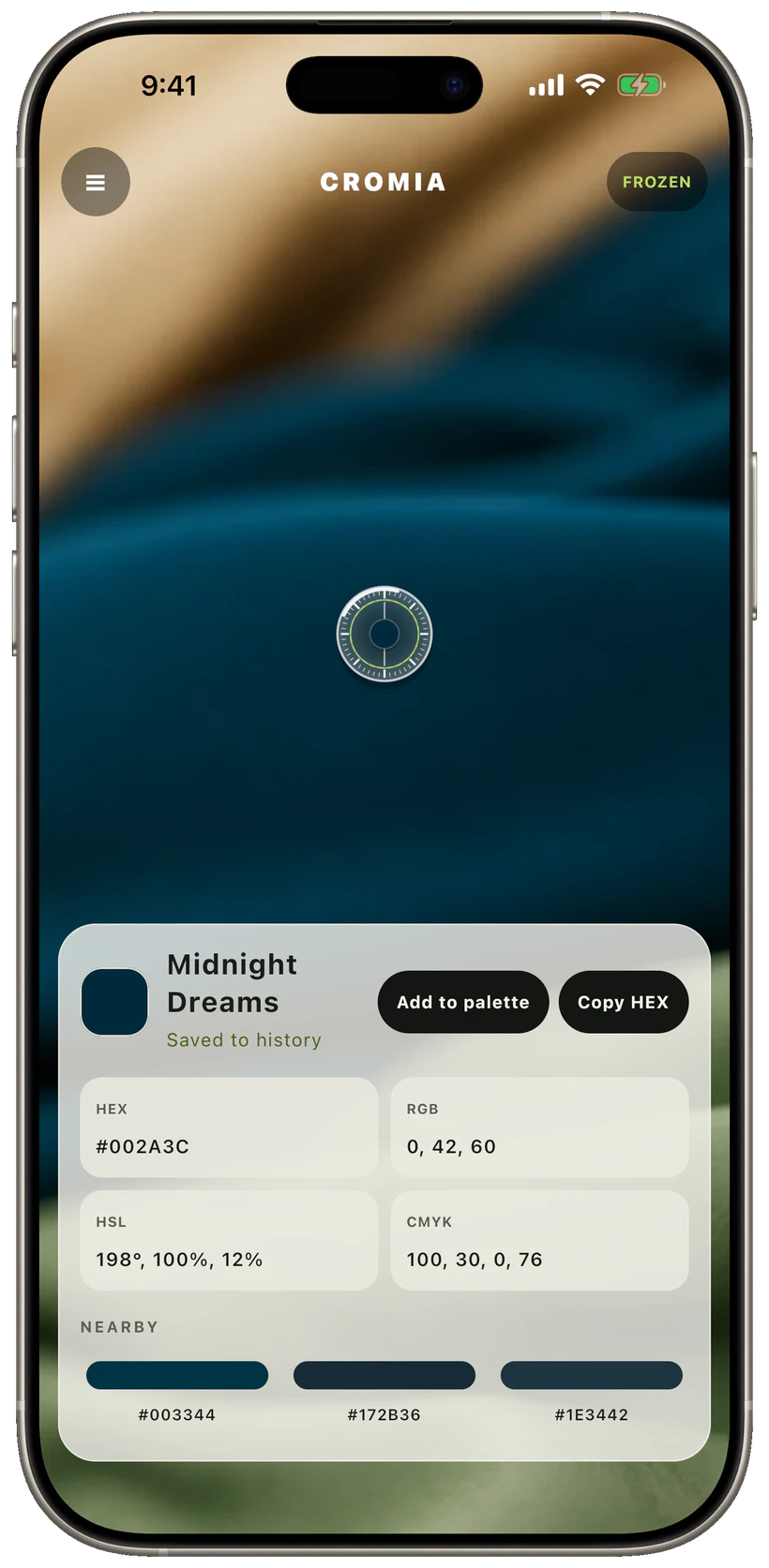
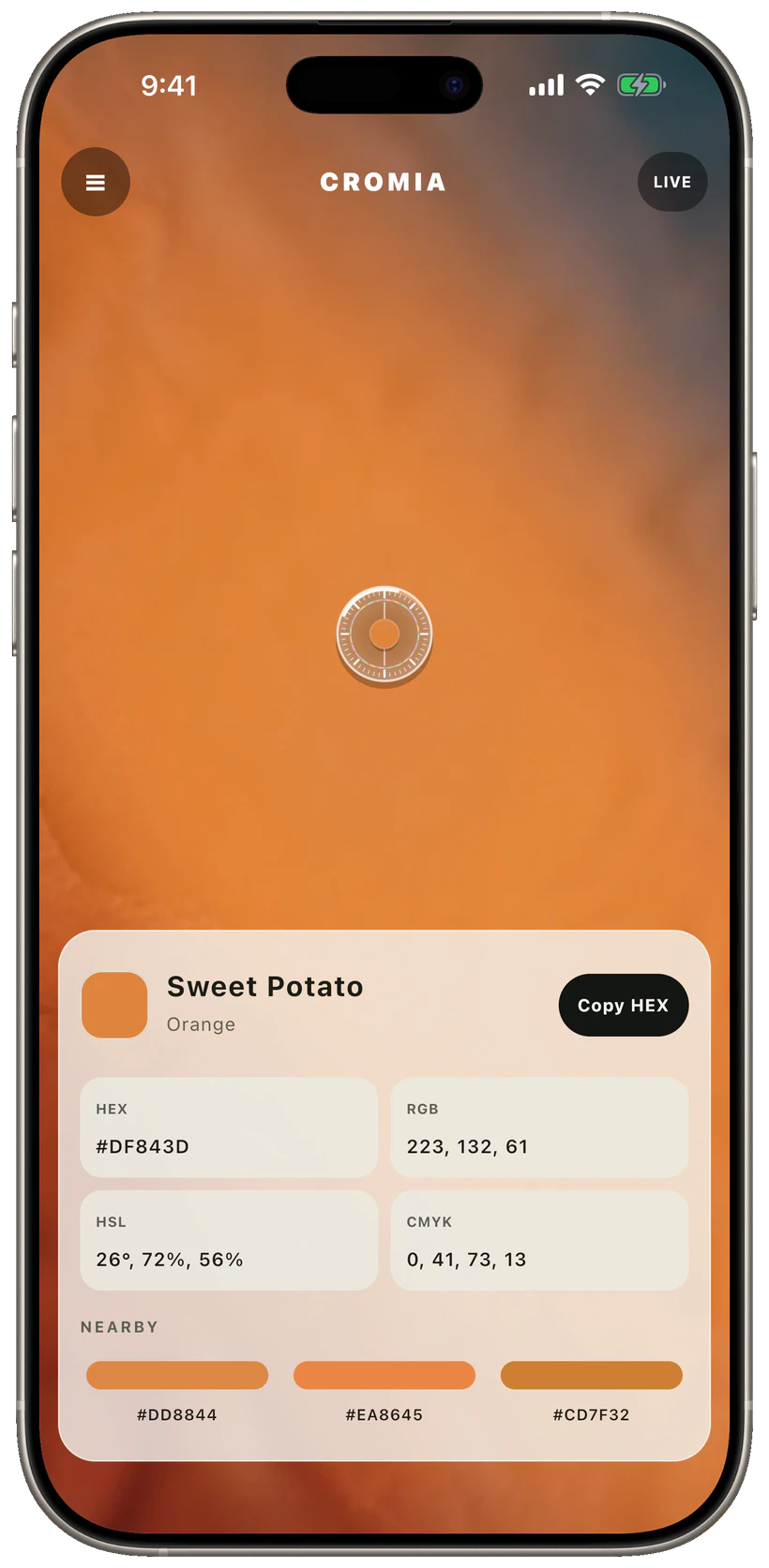
Sweet Potato #DF843D
Cromia identifying Sweet Potato orange from the live camera

Try the whole gesture

See it. Freeze it. Keep it.

Watch the lens move through the room. Tap the first card to hold a reading and add that colour to the mini History.

  1. 01 LIVE

    Point

    The lens is reading live. Tap this card to freeze the colour under it.

  2. 02 LIVE
    HEX#3E6B8A RGB62, 107, 138 HSL207°, 38%, 39% CMYK55, 22, 0, 46

    Reading live

    Every value follows the lens. Freeze it when the colour feels right.

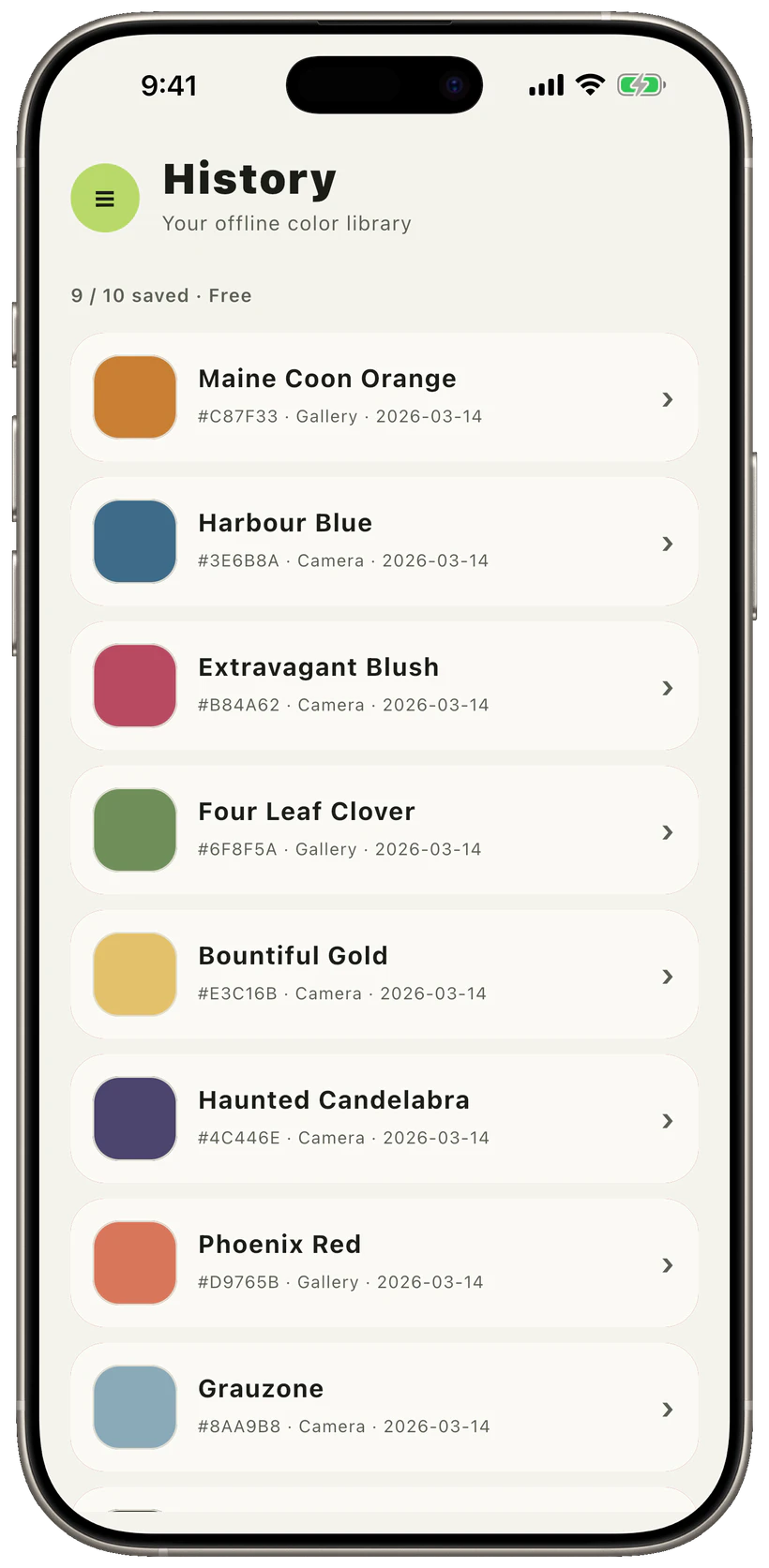
  3. 03 2 saved
    Sweet Potato#DF843D
    Velvet Curtain#996796

    Keep

    Each new freeze lands here. Tap Point again to resume and hunt for another colour.

A photo becomes a colour map

More than six hex codes.

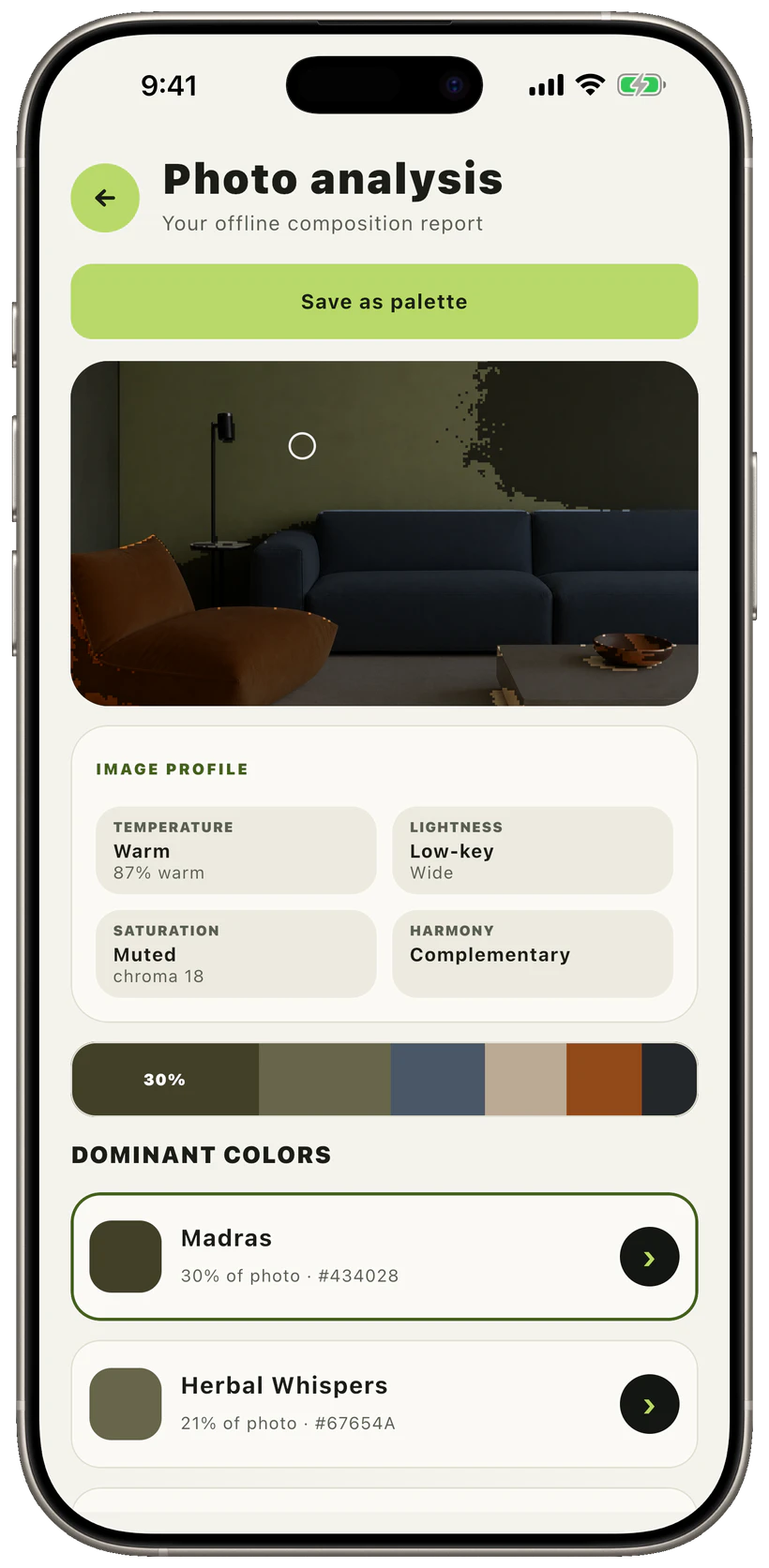
Analyse any photo into dominant colours, exact area shares, spatial highlights, temperature, tonal range, saturation, and harmony. Save the whole result as a palette in one tap.

  • Six deterministic CIELAB clusters
  • Tap a colour to see where it lives in the photo
  • The original and report stay in private app storage
Warm · muted · complementary Cromia photo analysis showing dominant colours and a complementary harmony
A library that thinks in relationships

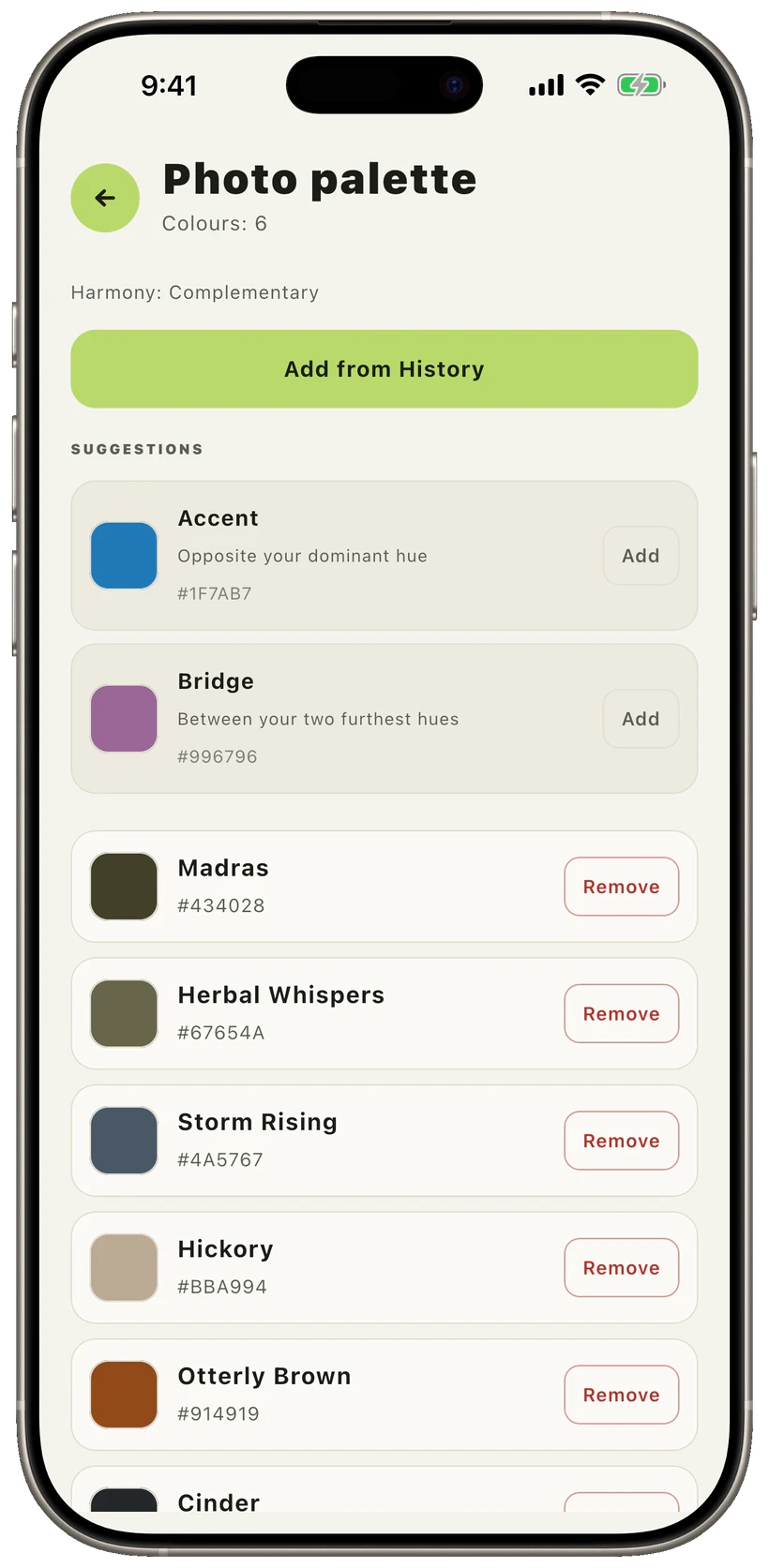
Turn a pick into a palette.

Colours do not stop being useful after you copy them. Group your picks, name the harmony, and let Cromia propose roles instead of dropping anonymous swatches into a row.

Accent Bridge Neutral
Harmony · complementary Cromia palette with accent and bridge suggestions

For real design work

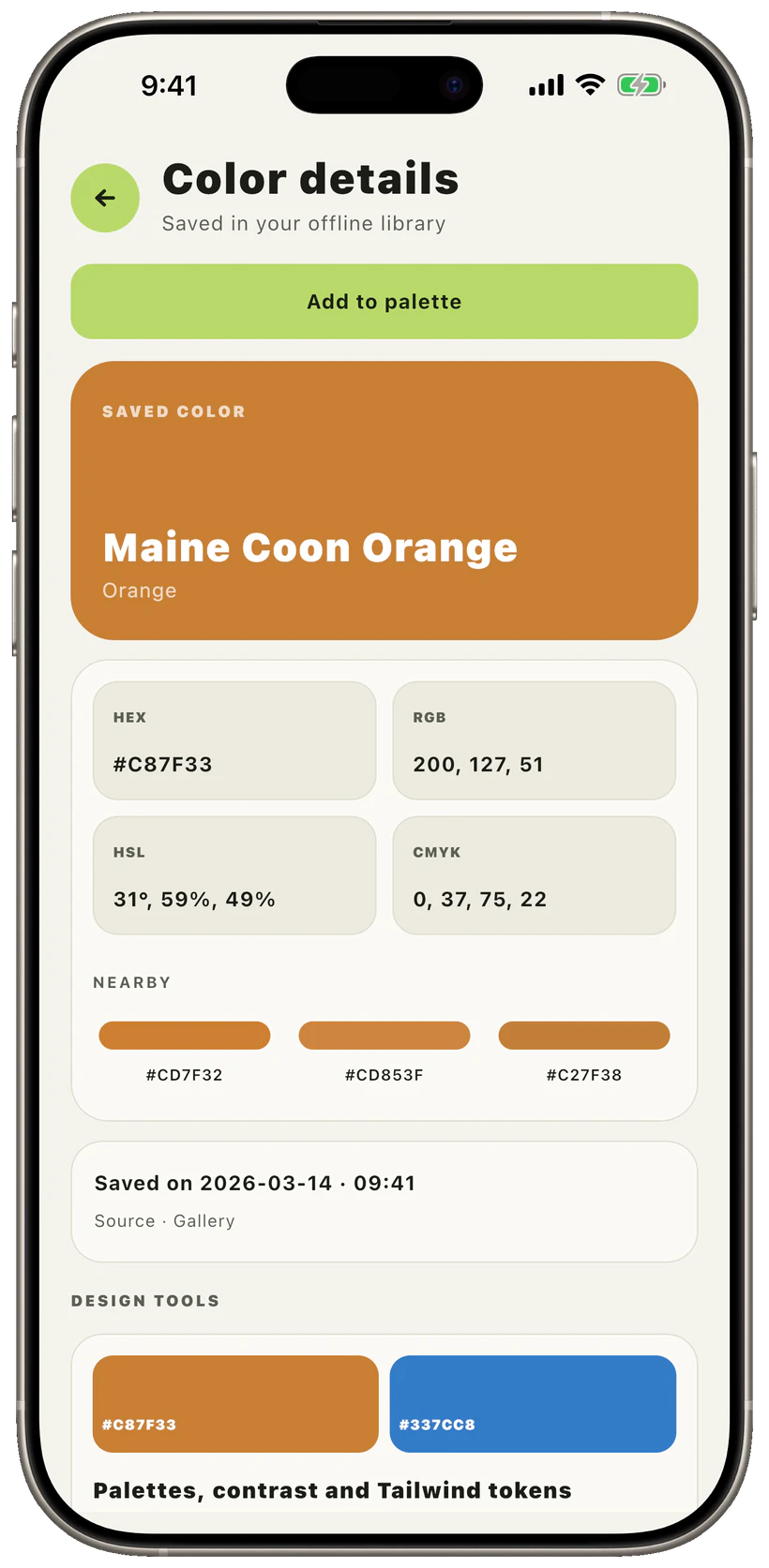
Values you can act on.

Every saved colour keeps HEX, RGB, HSL, and CMYK close. Pro adds WCAG contrast against black and white, the nearest Tailwind token, and six colour-wheel schemes — computed on-device.

HEXRGBHSLCMYK
4 formats · one tap to copy Cromia saved colour details with exact values and design tools

Offline is not a mode. It is the architecture.

Your colours are not our content.

Live camera frames are processed on the device and never stored. Photos you analyse stay in private app storage. There is no account, no sync, and no advertising SDK.

Read the privacy policy
×No sign-in

No profile to create and no email to hand over.

No photo upload

Analysis and colour matching run locally.

Airplane-mode ready

Picking, naming, reports, and palettes keep working.

0No ads

The free app is useful without selling your attention.

Free stays genuinely useful

Pro adds room to work, not a reason to start over.

Live picking, all four formats, colour names, nearby shades, daily photo analysis, and one palette stay free. An optional one-time Pro unlock removes the limits and adds the designer tools. No subscription.

Free10saved colours
Prohistory, reports, palettes

Good to know

Before you point the camera.

Cromia is designed to be practical, transparent, and pleasantly unsurprising.

Does Cromia upload camera frames or photos?

No. Camera sampling, colour matching, photo clustering, and palette tools run on your device. An analysed photo is copied into private app storage so you can reopen its report.

Is it a calibrated colourimeter?

No. Phone cameras change exposure and white balance with the scene. Cromia is a fast practical picker; controlled lighting still gives the most consistent reading.

What is included for free?

Live picking, HEX/RGB/HSL/CMYK, colour names, nearby matches, three focus sizes, ten saved colours, one photo report a day, and one palette.

Is Pro a subscription?

No. Pro is planned as a one-time unlock with Family Sharing on iOS. It lifts limits and adds design tools; it does not move your work to a cloud.

Which languages are available?

The interface ships in English, German, Spanish, French, Italian, Brazilian Portuguese, and Russian.