Built for iPhone Duo
Open your iPhone Duo.
Five things open with it.
Pick a scene and open or close the phone slowly. An old wooden door creaks, a treasure chest lifts its lid, a flip lighter catches, a spellbook opens its cover and an accordion plays, each following the hinge with its own recordings. On any other iPhone, you move them with your finger.

Built for iPhone Duo. Runs on any iPhone with iOS 27.1 or later.
- Pay once, no ads
- No account
- No tracking
- Works offline
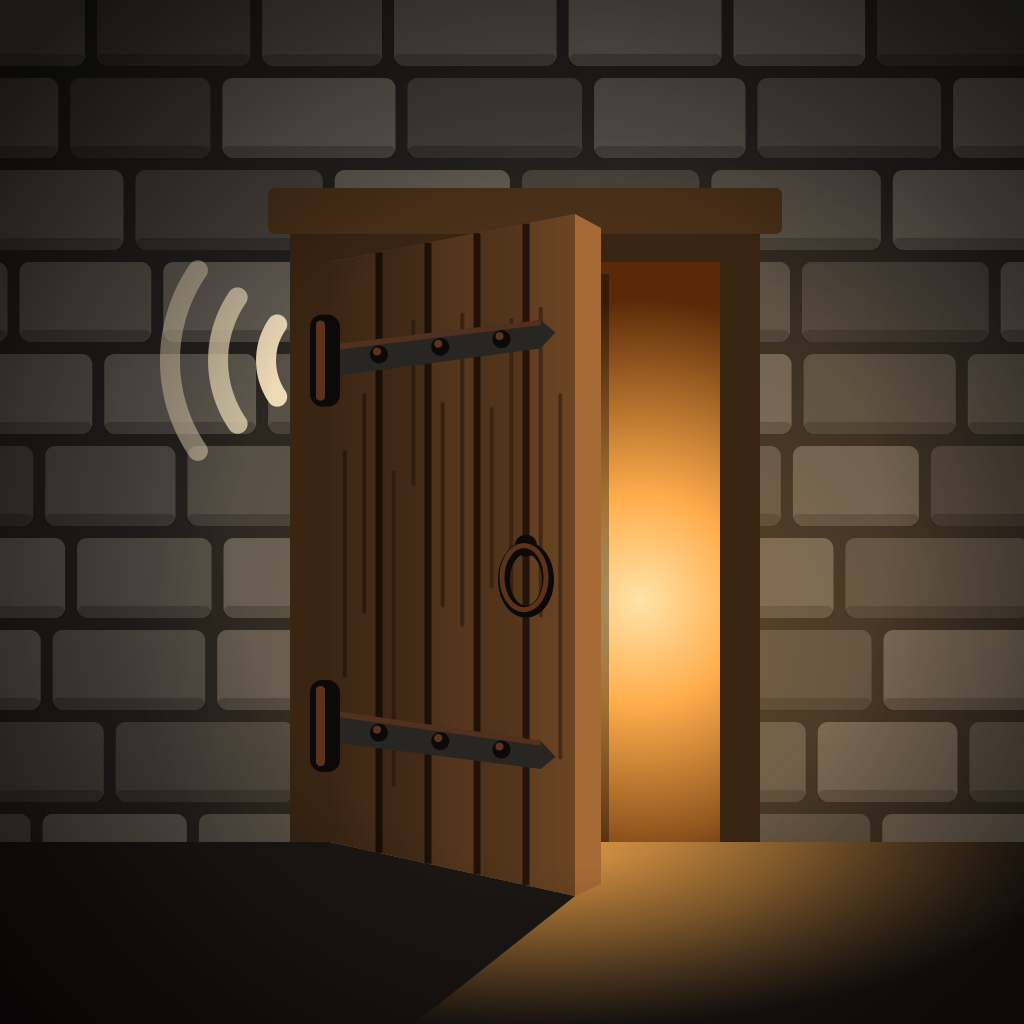
The wooden door, the first of five scenes.
New in 1.2
One hinge, five things to open.
Tap the Scenes button by the status bar and swipe through them. Each scene has its own drawing, its own recordings and its own choice in the settings menu, and the app remembers the one you picked.
-
Wooden door
In a stone wall, by a candle lantern
Hangs on the fold and swings from shut at 0° to flat against the wall at 180°. Slow is a loud, low creak, fast is a faint squeak, and a resting hinge is silent.
Creak
- Old door
- Squeaky gate
- Cellar door
-
Treasure chest
On a moonlit beach
Opening the phone lifts the lid on coins, gems and a goblet in a growing gold glow. The coins jingle when the lid reaches the top, and it slams shut.
Shine
- Fairy dust
- Magic sparkle
-
Flip lighter
On a walnut desk
Past 100° the lid clinks, sparks fly off the wheel and a flame lights the scene. It dwindles as you close the phone and goes out with a clack.
Flame
- Steady
- Flickering
-
Spellbook
Floating in a starry sky
Its spine sits on the fold. The pages fan out and rustle, more often the faster you fold; laid flat, the runes light up with a chime, and it thumps shut.
Pages
- Parchment
- Heavy tome
-
Accordion
Bellows on the fold
The hinge works the bellows and the accordion plays, louder the faster you fold, with a new chord each time you change direction.
Chords
- Two chords
- Four chords
The door
Slow is loud. Fast is quiet.
The first scene turns how quickly the hinge moves into the sound of an old door. It listens to how fast you move, not to where the hinge is.
-
Slowly
A loud, low creak
Ease the phone open or closed and the old hinge groans, deep and long.
-
Faster
It fades and rises in pitch
Rush it and the creak thins out and climbs, the way a door sounds when it is hurried.
-
Stop
Instant silence
Hold the hinge still and the sound stops at once. A resting door says nothing.
Three creaks to choose from
Pick one from the settings menu under the Scenes button. The app remembers your choice.
- Old door
- Squeaky gate
- Cellar door
What you get
The hinge is the control.
Nothing plays on a tap. Each scene follows the angle and the speed of the hinge, so the way you open the phone is the way it sounds.
-
Drawn around the fold
Every scene is laid out for iPhone Duo. The door, the spellbook and the accordion turn on the same line the phone bends on; the chest and the lighter stand in the middle of the cover screen, or of the unfolded screen’s right half.
-
Feel it too
Turn vibration on and the Taptic Engine buzzes along with the door’s creak, then knocks once when any scene reaches fully closed or fully open. Sound and vibration switch on and off separately.
-
Real recordings
Doors, coins, a flip lighter and old book pages are cut from public-domain (CC0) recordings, and the accordion plays chords from the Fluid (R3) SoundFont. Loops run without a seam, so a slow opening can last as long as you like.
-
Works with VoiceOver
Each scene is one VoiceOver element. Swipe up or down on it to open or close it, on iPhone Duo or on a phone without a hinge.
iPhone Duo or not
Built for the hinge of iPhone Duo.
Only iPhone Duo has a hinge for the app to follow, and every scene is drawn around its fold. We would rather tell you that here than in a review.
On iPhone Duo
The scene follows the phone’s own hinge, from shut to folded flat. Folded, it plays on the cover screen; unfolded and held upright, it sits on the right half of the inner screen in landscape. With vibration on, you feel a knock when a scene reaches either end.
On any other iPhone
There is no hinge, so you drag the scene with a finger instead: the door, the chest’s lid, the lighter’s lid, the book’s cover or the bellows. The scenes, recordings and vibration are the same, but they move with your hand rather than with the phone. With VoiceOver, swipe up or down on the scene.
Both need iOS 27.1 or later. There is no Android version.
Nothing else
It opens and closes. That is all.
- Paid once, with no ads and no in-app purchases
- No account, no sign-in
- No tracking: usage statistics you can turn off
- Works offline
- Built for iPhone Duo, runs on any iPhone with iOS 27.1 or later
- In English, Spanish, Portuguese, German, French, Italian and Russian
The details are on the privacy page.
Questions
Before you download
Do I need an iPhone Duo?
For the real hinge, yes: the app is built for iPhone Duo, and every scene follows its hinge as you open and close the phone. On any other iPhone the same scenes are there and you move them by dragging with a finger. Either way the app needs iOS 27.1 or later.
What scenes are there?
Five: an old wooden door in a stone wall, a treasure chest on a moonlit beach, a flip lighter on a walnut desk, a spellbook floating in a starry sky, and an accordion. Tap the Scenes button by the status bar to switch; the app remembers your pick.
What can I change in each scene?
The settings menu under the Scenes button has one choice for the scene you are on: the door’s creak (an old door, a squeaky gate or a cellar door), the chest’s shine (Fairy dust or Magic sparkle), the lighter’s flame (Steady or Flickering), the spellbook’s pages (Parchment or Heavy tome) and the accordion’s chords (Two chords or Four chords). The app remembers each choice.
Can I turn the sound or the vibration off?
Yes, separately. Sound and vibration each have a switch at the top of the settings menu. With vibration on, the Taptic Engine buzzes along with the door’s creak and knocks once when any scene reaches fully closed or fully open.
Does it play when my iPhone is on silent?
Yes. The app plays its sound with the silent switch on, and it mixes with other audio, so a podcast keeps playing underneath. Switch Sound off in the app to quiet it.
Does it cost anything or show ads?
You buy it once on the App Store, at the price shown there in your currency. After that there are no ads, no in-app purchases and no subscription.
What data does the app collect?
Only usage statistics, through Google Analytics for Firebase, and you can turn them off with Share usage statistics in the settings menu. They cover whether your phone moves the scenes by its hinge or by drag, which scene played and for how long, which scene and settings you chose, and taps on Rate this app and Send feedback. There is no account, no advertising identifier and no tracking across apps, and nothing is linked to your name, email or Apple Account. Your settings stay on your phone. This website is separate: it uses Google Analytics only after you accept the banner. The privacy page has the details.
Does it work offline?
Yes. Everything the app needs is on your phone, so it works in airplane mode.
Where do the sounds come from?
The doors, gates, coins, chest, lighter and book pages are cut from CC0 (public-domain) recordings, most of them from Freesound, and looped without a seam where they need to run. The accordion’s chords come from the Fluid (R3) SoundFont, which is MIT-licensed, and its bass notes from a CC0 accordion pack. Every source is credited on the Open-source licenses sheet in the settings menu.
How do I report a problem or send feedback?
Open the settings menu and choose Send feedback, which starts an email to info@swtlm.com with your version number in the subject. You can also write to info@swtlm.com directly.