SFTP, FTPS and FTP client for iOS and Android
Your servers, in your pocket.
CloudQuay is an SFTP, FTPS and FTP client. Save a server once, tap it, and see its folders: what is actually deployed, what a log says, where a file went. No account, no ads, no subscription.
Your server details never leave your device
- SFTP, FTPS and FTP
- No account, no ads
- iOS + Android
No account, no cloud
CloudQuay talks only to your own servers. Their details stay on your device.
No ads
No ad SDK and no advertising identifier. Free and Pro look the same.
Pay once, if at all
Your first server is free with every feature. Pro is one purchase, never a subscription.
How it works
From saved server to open folder in three steps
Save a server
Host, port, username and an optional name like "Production". Switch protocol and the default port follows.
Tap to connect
CloudQuay checks the SSH host key or the FTPS certificate first, and tells you plainly if a server is not what it should be.
Browse its folders
Folders first, then files with their sizes. A breadcrumb shows where you are; go up a level in one tap.
See it in action
Every server, one tap away
-
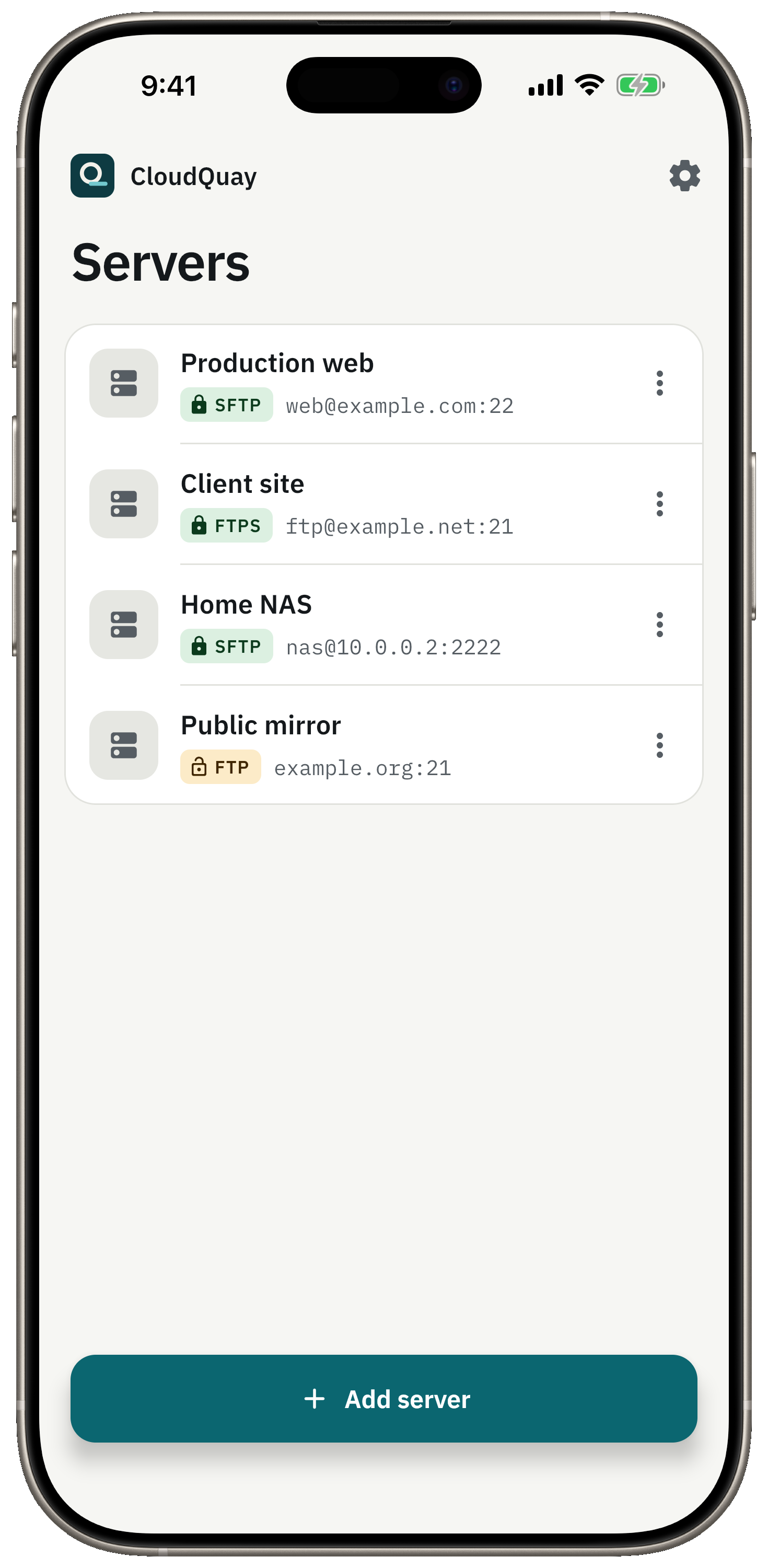
Your server list. A lock shows what is encrypted. -
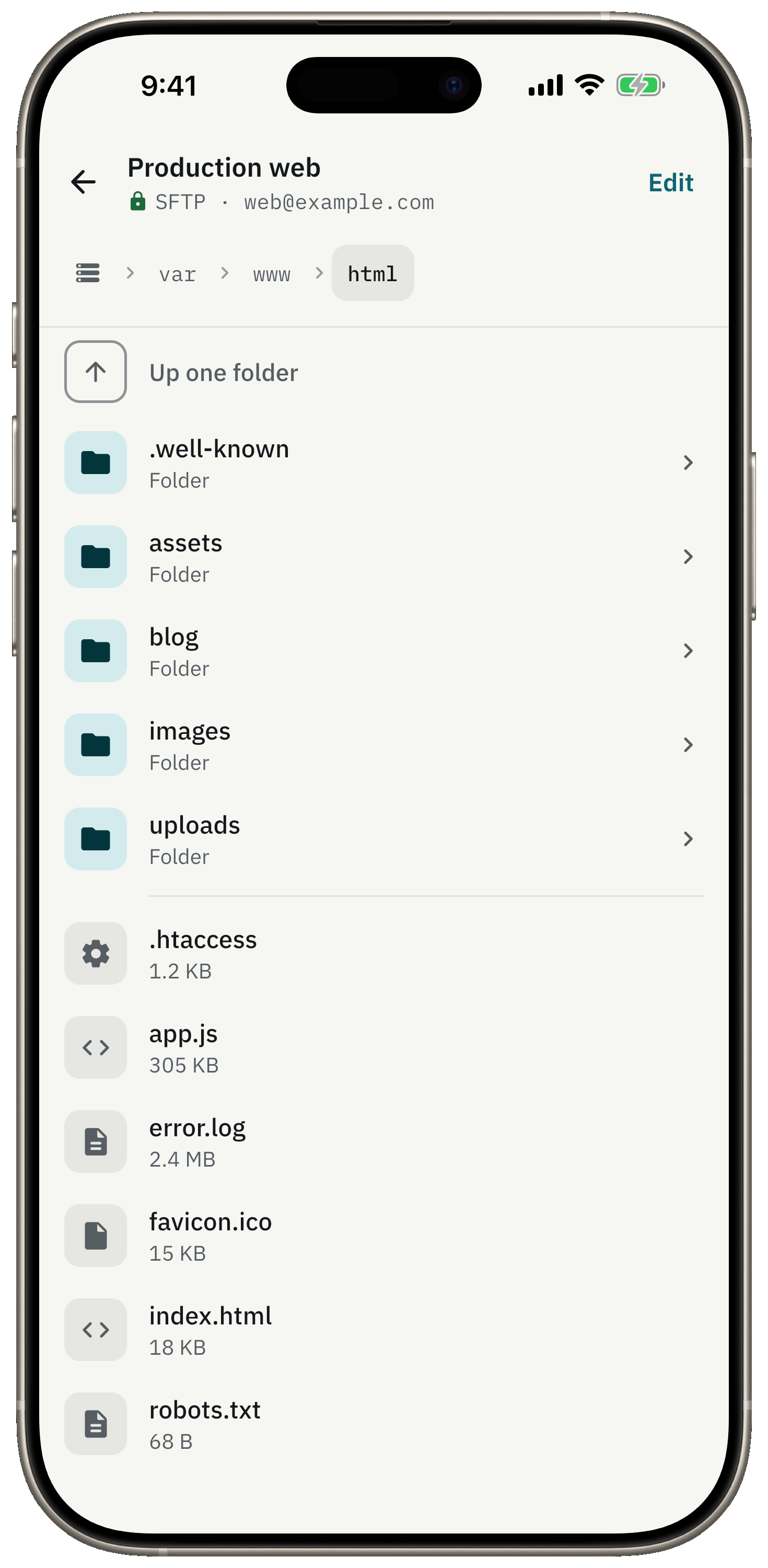
Folders and files, with sizes and a breadcrumb path. -
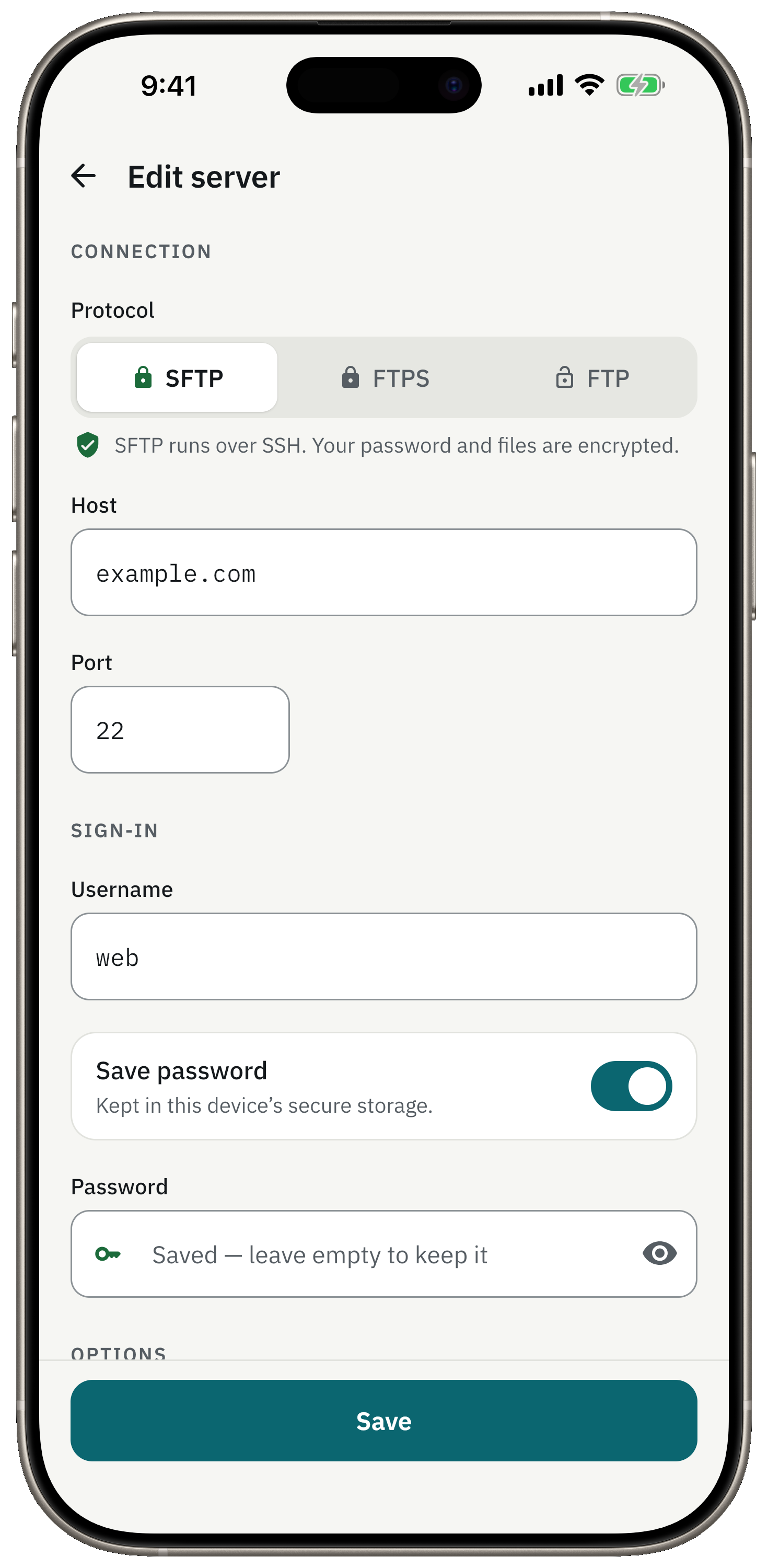
Add a server in a minute. Passwords stay in the Keychain. -
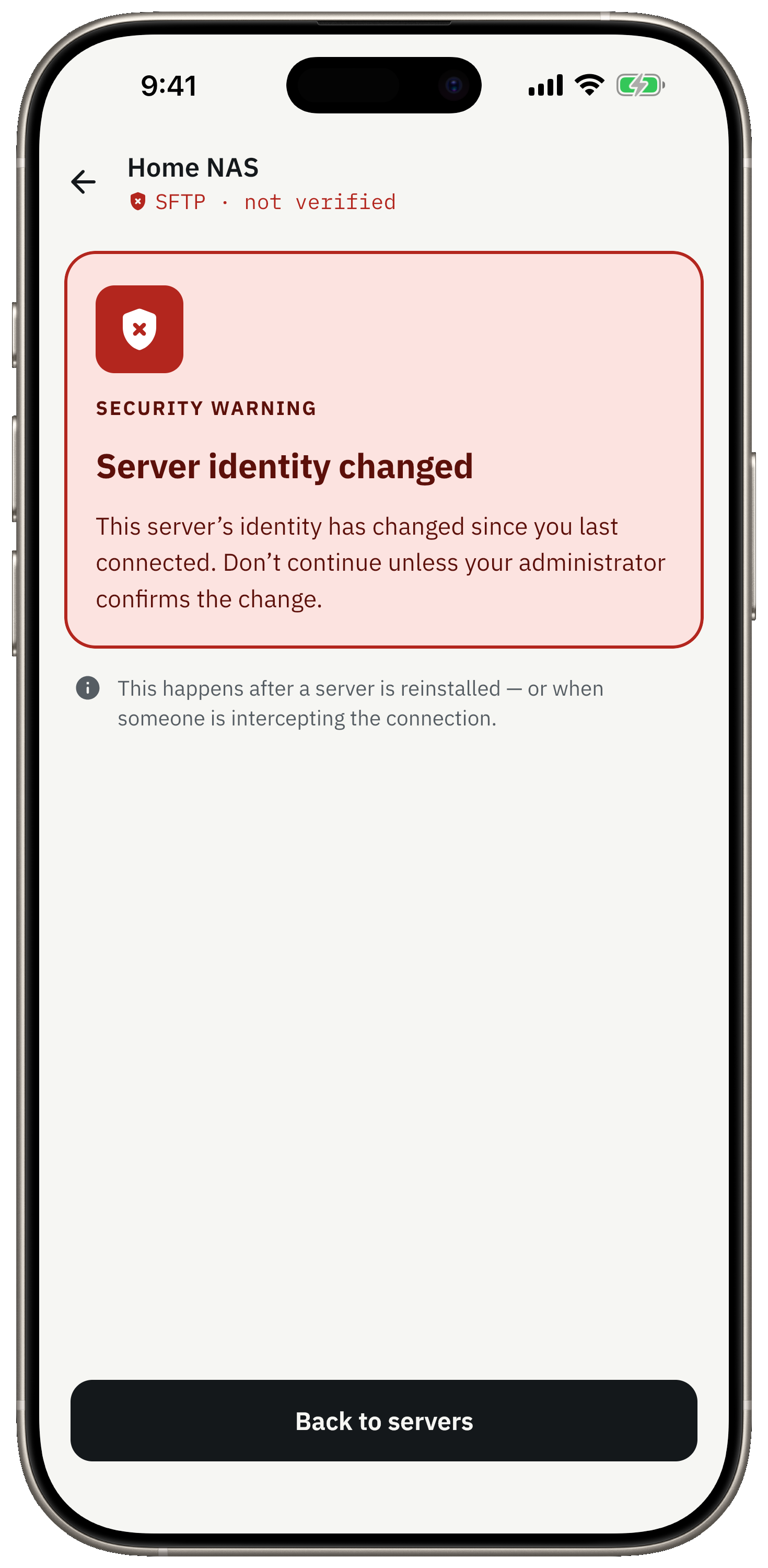
It stops and warns you if an SSH host key changes. -
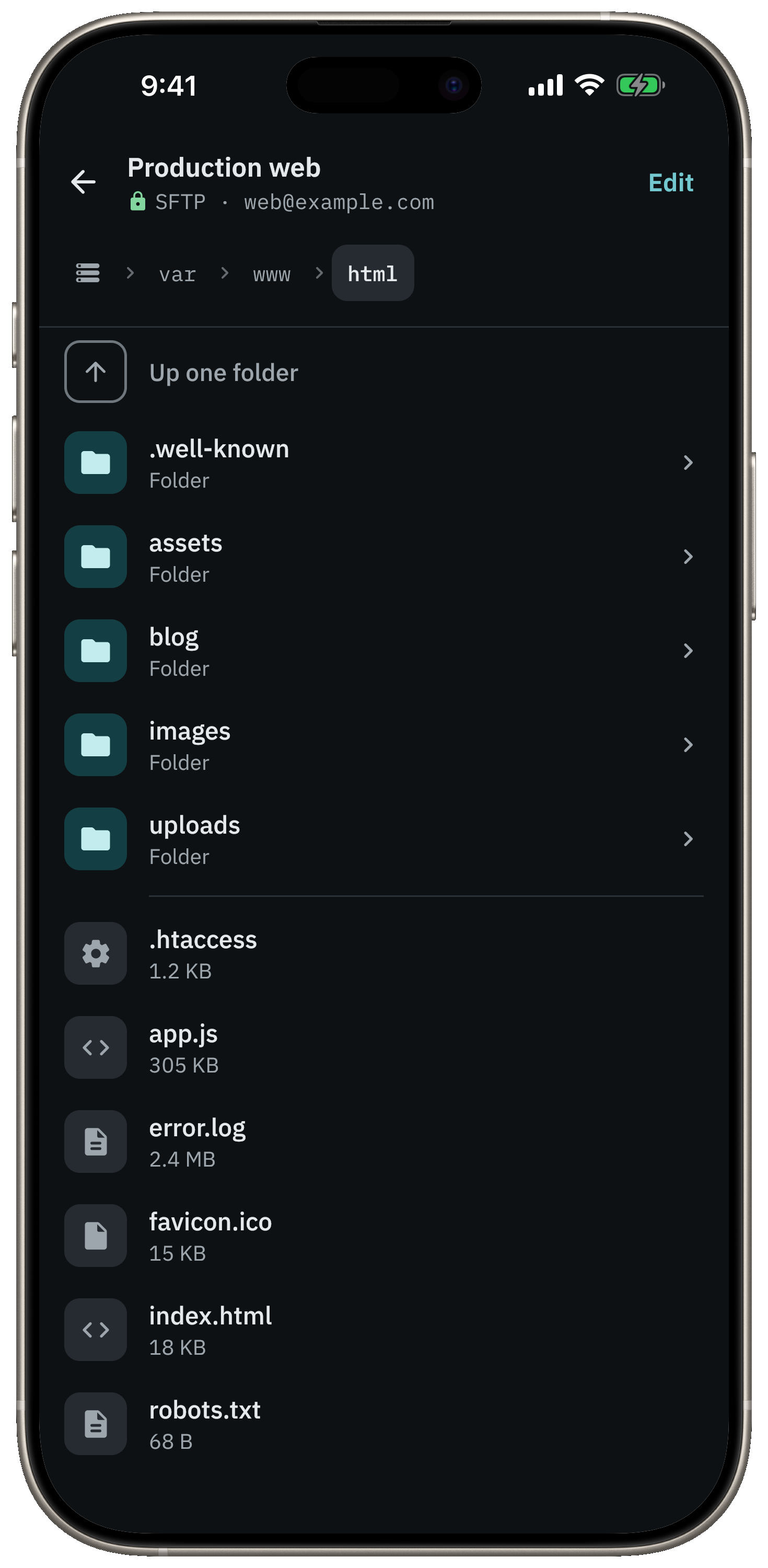
Dark mode, for late-night server checks. -
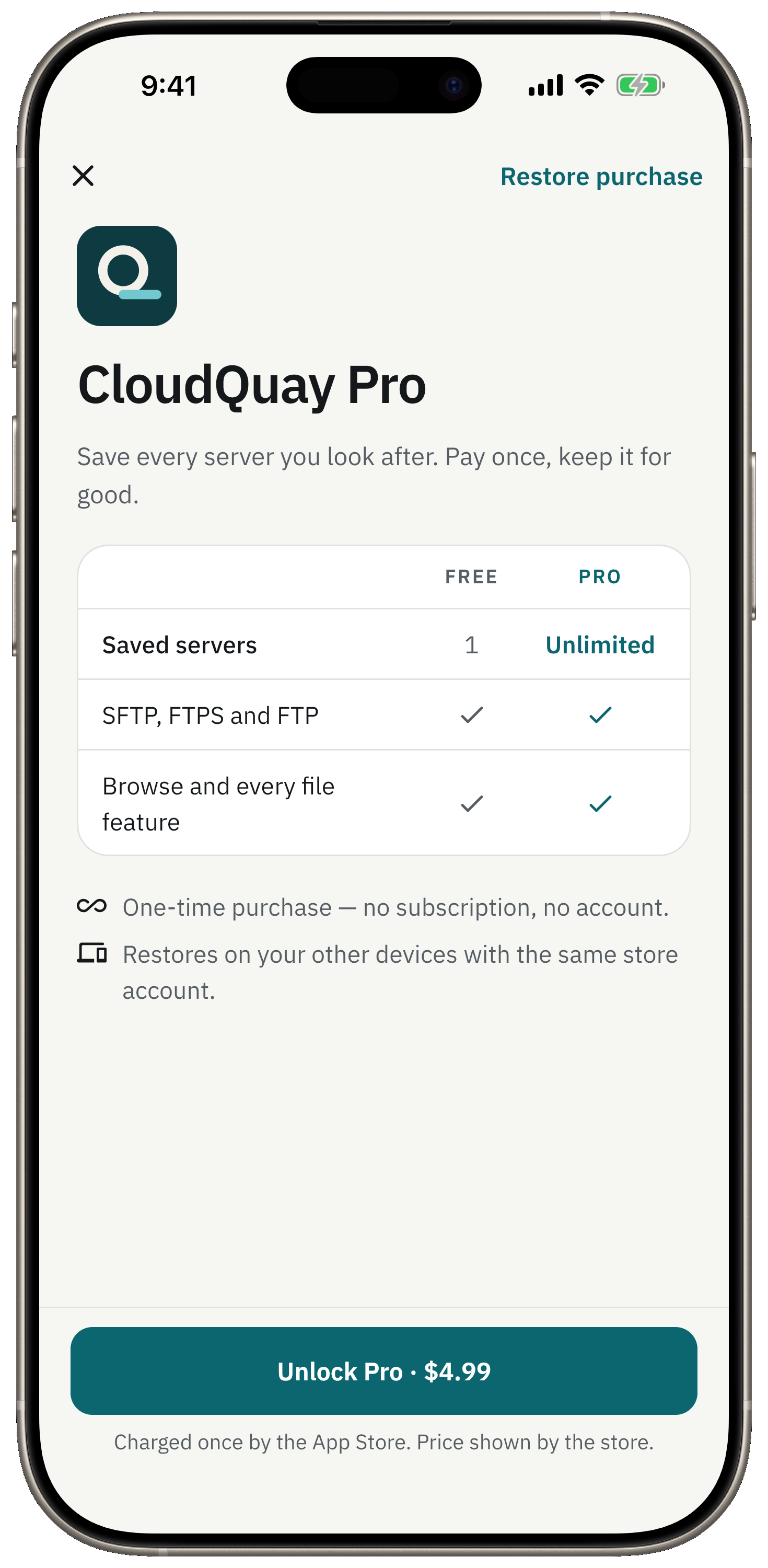
Your first server is free. One payment unlocks the rest.
What you get
A remote file browser that tells you when something is off
Three protocols, one list
SFTP over SSH, FTPS (FTP secured with TLS) and plain FTP. Every server carries a badge for how it connects.
Read-only browsing
In this version CloudQuay looks and never changes a file on your server. Folders first, then files with their sizes.
SSH host keys are remembered
If a server's identity changes, CloudQuay does not connect anyway. It stops and shows a dedicated warning.
FTPS certificates are checked
An untrusted, expired or wrong-name certificate is refused instead of waved through.
Plain FTP is labelled as such
Choose FTP and the app says plainly that your password and files travel unencrypted. The badge turns to an open lock on amber.
Passwords stay in the Keychain
A saved password goes into the iOS Keychain or the Android Keystore. Leave it unsaved and you are asked each time.
Messages that explain
Unknown host, no answer, timeout, rejected login, access denied: each problem gets its own explanation, not a generic error.
Light, dark and 7 languages
Light, dark or system theme. English, German, Spanish, French, Italian, Portuguese (Brazil) and Russian, switched inside the app.
Privacy by design
Your servers are nobody's business but yours
- Server hosts, usernames, paths and passwords never leave your device. There is nowhere for them to go: no account, no sync, no backend of ours.
- A saved password lives in the iOS Keychain or the Android Keystore, and is kept out of backups and device transfers.
- Files you browse go straight from your server to your phone. We never see them.
- Firebase Analytics and Crashlytics, for stability and basic usage counts: a pseudonymous installation id, no account, no server details, no free text and no advertising identifier.
- RevenueCat handles the one-time Pro purchase: a purchase receipt against an anonymous id, never your servers or files.
Simple pricing
One server free. Pro is one payment.
The free version has every feature and saves one server. CloudQuay Pro removes the server limit. Nothing else is held back, and there is no subscription.
Free
Free
forever
Every feature, with one saved server.
- One saved server
- SFTP, FTPS and FTP
- Host-key and certificate checks
- Light and dark theme, 7 languages
- No ads, no account
Pro
One-time
one-time, no subscription
Removes the one-server limit. Nothing else changes.
- Everything in Free
- As many saved servers as you need
- Pay once, keep it
- Restore on a new device
Your store shows the price in your local currency before you buy.
Questions
Good to know
- Can I upload, download or edit files?
- Not yet. This first version is a read-only browser: it lists folders and files, with sizes, and never changes anything on your server. Transfers and editing are not built.
- Which protocols does it support?
- SFTP over SSH, FTPS (FTP secured with TLS) and plain FTP. Plain FTP sends your password and files unencrypted, so the app flags it with an amber open-lock badge and says so when you pick it. Some FTPS servers that require TLS session resumption (vsftpd with require_ssl_reuse, FileZilla Server by default) can't list folders on Android yet.
- What happens if a server's SSH key changes?
- CloudQuay remembers each server's SSH host key. If it changes, the app does not connect anyway: it stops and shows a dedicated warning, because a changed key can mean the server was replaced or intercepted.
- Where is my password stored?
- Only if you tick Save password, and then only in the iOS Keychain or the Android Keystore, never in a backup. Leave it unticked and CloudQuay asks every time you connect.
- What does Pro cost, and is it a subscription?
- Pro is a single one-time purchase, priced by your store in your local currency. There is no subscription. It removes the one-server limit and unlocks nothing else, because nothing else is locked.
- Does it need an account or collect my server details?
- No account, no sign-up and no cloud. CloudQuay talks only to the servers you add, and their details stay on your device. The only data collected is pseudonymous crash and usage statistics and the purchase receipt.
- Why does iOS ask about the local network?
- The first time CloudQuay reaches a server on your home or office network, iOS asks for local-network permission. It is only used to connect to the servers you saved.