Health & Sleep
Why does my white noise app stop playing? Five causes
Your white noise app stops playing for one of five reasons, and each one is a different fault with a different fix. A call it never resumed is not the same as a mix the phone shut down while you slept. Neither is a fade-out timer reaching zero — in Somnia the presets are 15 min, 30 min, 1 hr and 2 hr. Telling them apart decides whether there is anything for you to change at all.
Did it pause, or did it stop?
A sleep sound mix can end in two ways overnight, and from the bed they look identical. A pause leaves everything loaded: the controls stay on the lock screen, and one tap brings the same layers back at the same volumes. A stop takes the mix apart, so there is nothing on the lock screen and the app opens to an empty mixer.
Look at that before you unlock the phone in the morning. Controls still sitting there point at an interruption that was never resumed. Nothing there means the mix was ended, either by the timer you set or by the phone.
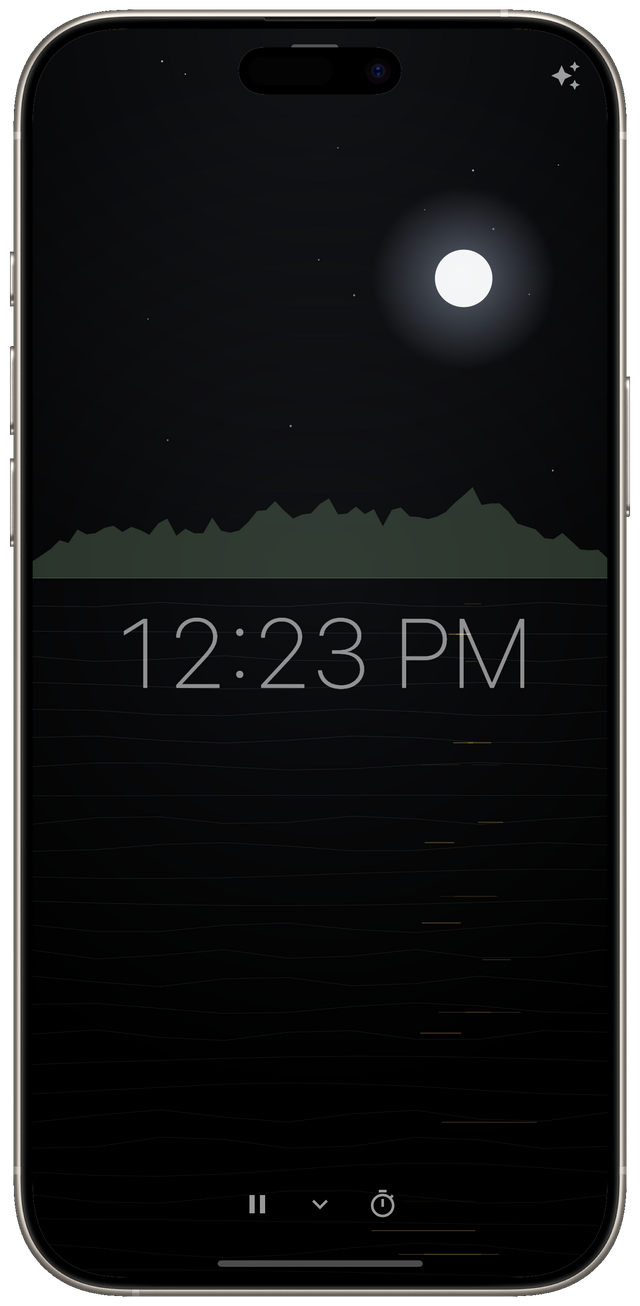
That one glance rules out most of the list. The five sections below take the causes in the order they are worth checking.
Why doesn’t it come back after a phone call?
Because an automatic resume has conditions, and all of them have to hold. On iOS the system has to mark the interruption as one that may resume. The pause must not have been yours. The app’s own auto-resume setting has to be on too — in Somnia that is Auto-resume after call, under Settings, and it ships switched on.
The second of those is the one that catches people out. Pause the mix yourself before answering, and the app leaves it paused afterwards. Pushing sound back into the room after you deliberately stopped it is the worse mistake.
A handover is treated as permanent for the same reason. Another app can take the audio for good — a podcast, a video, a navigation voice. The mix then pauses and stays paused rather than overriding something you started on purpose.
Why does it stop the moment the screen goes off?
iOS grants background audio only to an app whose audio session was already active when it left the screen. In plain terms, the sound has to be audible before you lock the phone. Start the mix, hear it, then put the phone down.
The same rule explains why an interruption is a bigger event than it looks. A call deactivates the session. Coming back afterwards means claiming it again, not pressing play on a player that is still sitting there. An app that only presses play goes quiet with no error and no warning.
Why did it vanish instead of pausing?
On Android, a phone lets an app own the sound only while that app is on screen, or while it runs an ongoing job with a visible notification. Android 17 applies that rule to every app on the device, regardless of the API level the app targets.
So the notification with the play button on it is not decoration. It is what makes an all-night mix legal to keep running.
When the phone refuses to let that job start, the mix is ended rather than paused. Two states cause the refusal: the battery option that restricts an app in the background, and the phone’s own decision that an app is rarely used. Playback that carried on with nothing hosting it would be sound nobody could stop, so it stops instead.
If a mix disappears most nights on one phone and never on another, that is where to look. Take the app off background restriction. Then open it on the days you use it, so the phone does not decide it is rarely used.
You set no sleep timer. At four in the morning the room is silent, the lock screen shows no controls at all, and opening the app gives you an empty mixer. Which cause fits?
Answer: The phone refused to host the playback and ended it — Right. Nothing on the lock screen and an empty mixer is a shutdown rather than a pause, and with no timer running the phone is what ended it — a refused background job, or an idle one it reclaimed.
Why are the controls gone if it only paused?
Because a paused mix is not parked indefinitely. Something still has to host it, and a phone reclaims a job that has gone idle. The mix, the lock-screen card and the notification go with it. The pause was real; the window in which you could have resumed it was shorter than it felt.
Was it just the sleep timer?
The fifth cause is not a fault at all. A fade-out timer ends the mix on purpose, lowering the volume over the last thirty seconds rather than cutting off. Half asleep, a sound that gently disappears is exactly what a broken app sounds like.
Somnia’s presets are 15 min, 30 min, 1 hr and 2 hr. The timer shows the time remaining while it runs. If the sound ends at about the same point every night, that is the timer rather than the phone.
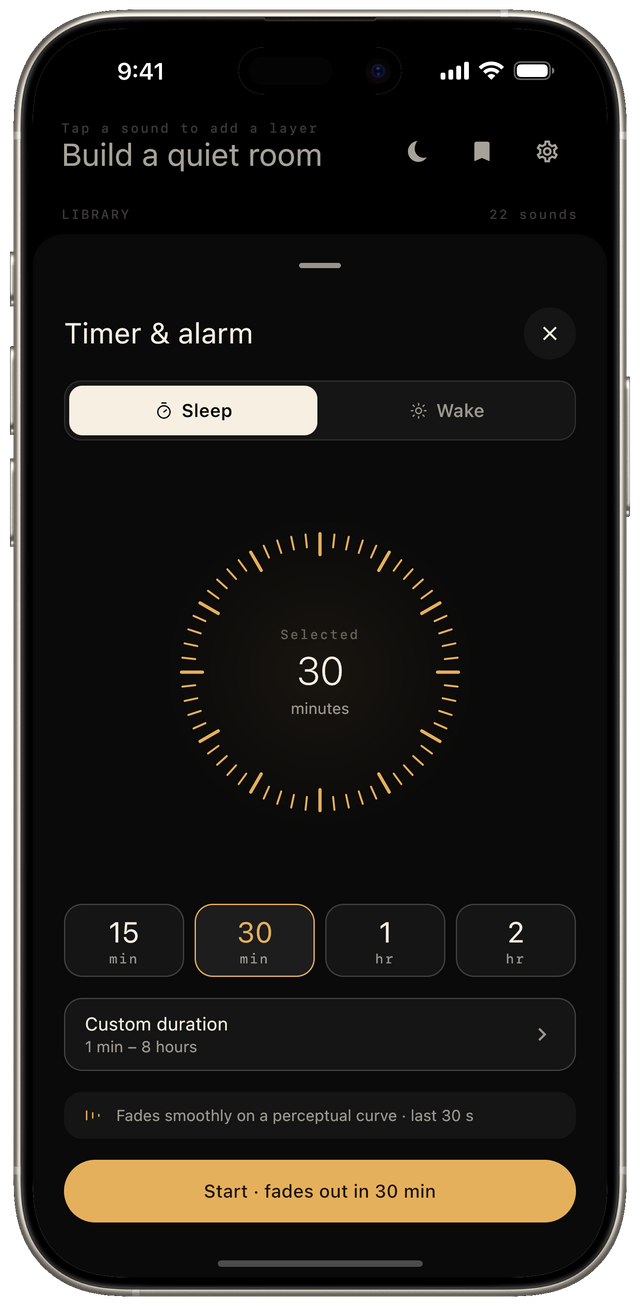
Whether you want a fade at all is a separate question. A fade covers the part of the night when falling asleep is the task, and leaves the small hours quiet. All-night playback is the right answer when the noise itself runs all night. The case for each side is in fade or all night.
Somnia keeps every loop inside the app, so a mix cannot stop because a connection did. Two settings govern most of the rest: auto-resume after a call, and whether the mix shares the phone with other audio. Both sit in plain Settings rather than behind a support article. The app shows no ads, asks for no account, and the full library is a one-time unlock rather than a subscription.
That is a claim about this app, not about the shelf it sits on. Six of the nineteen apps on this site show ads outright, and two more only if you ask for a rewarded one. Every card says which before you install, and the arithmetic behind saying so is in what a puzzle game subscription costs. If you want to know what a sleep app can see about you, where your health app data goes covers how to check. The rest of the category is on the Health & Sleep page.
Frequently asked questions
- Why does my white noise app stop playing at night?
- For one of five reasons, and they are different faults. An interruption such as a call that never resumed; a session the phone never granted background audio to; a mix the phone shut down rather than paused; a paused mix that lost whatever was hosting it; or a fade-out sleep timer reaching the end of the length you set.
- Why doesn't the sound come back after a phone call?
- An automatic resume has conditions and all of them have to hold. The system has to mark the interruption as one that may resume, the pause must not have been yours, and the app's own auto-resume setting has to be on. In Somnia that setting is Auto-resume after call, under Settings, and it ships switched on.
- Why does the mix disappear completely instead of pausing?
- That is an Android shutdown rather than a pause. A phone lets an app own the sound only while the app is on screen or while it runs an ongoing job with a visible notification, and when it refuses to let that job start — because the app is restricted in the background, or because the phone has decided it is rarely used — the mix ends instead of pausing.
- Why did the lock-screen controls vanish while the mix was paused?
- Because a paused mix still needs something hosting it, and a phone reclaims an idle job after a while. When it does, the lock-screen card and the notification go with it. A pause in the night is resumable for a short window rather than indefinitely.
- Could it just be the sleep timer?
- It can be, and it is the one cause on this list that is not a fault. A fade-out timer lowers the volume over the last stretch rather than cutting off, which half asleep is indistinguishable from something breaking. Somnia's presets are 15 min, 30 min, 1 hr and 2 hr.